
Zero-Downtime Rollouts: Fixing 502s During Kubernetes Deployments
Rolling updates should not drop requests, yet many clusters see brief 502s and connection resets on every deploy. Learn why pod termination races with endpoint updates, and how readiness, preStop hooks, graceful shutdown and rollout settings fix it.
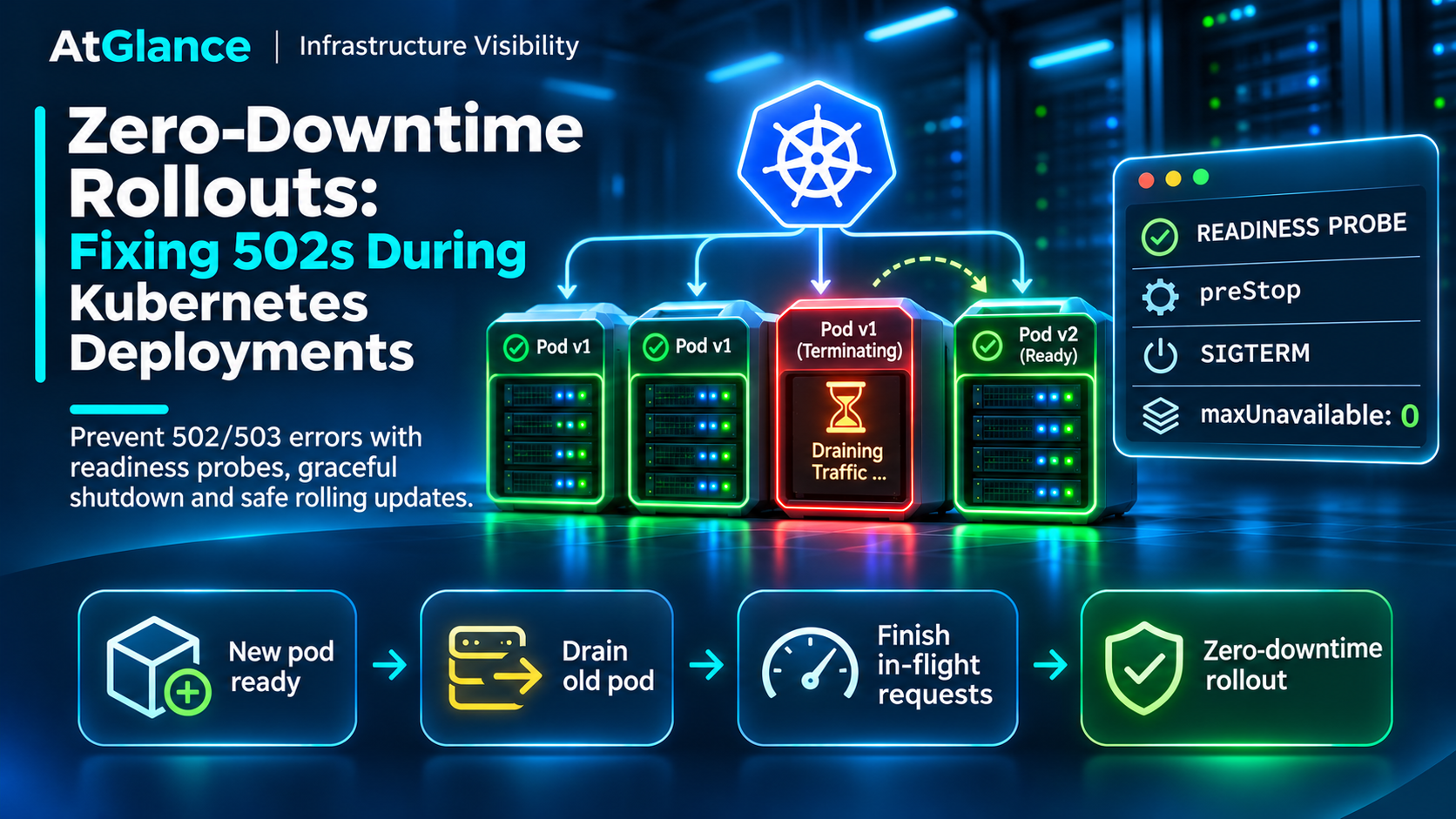
Zero-Downtime Rollouts: Fixing 502s During Kubernetes Deployments
Rolling updates are supposed to be invisible to users. Kubernetes starts new pods, waits for them to be ready and then removes the old ones. Yet many teams see the same pattern on every deploy: a short burst of 502 or 503 errors from the ingress, a few connection resets in client logs, and alerts that clear by themselves a minute later.
This is rarely a Kubernetes bug. It is usually a timing problem between several components that each do the right thing on their own: the kubelet stopping containers, the control plane updating endpoints, kube-proxy or the CNI updating forwarding rules, ingress controllers and load balancers updating their backend lists, and the application handling shutdown.
This guide explains what happens when a pod is replaced, where requests get lost, and the specific settings that make rollouts genuinely zero-downtime. It includes a simple way to measure errors during a rollout so you can confirm the fix.
What Happens When a Pod Is Terminated
When Kubernetes decides to remove a pod, for example during a rolling update, several things start at roughly the same time:
- The pod is marked as terminating.
- The control plane updates the Service's EndpointSlices so the pod is no longer treated as a ready endpoint.
- The kubelet runs the container's
preStophook, if there is one, and then sendsSIGTERMto the main process. - If the process is still running when the grace period ends, the kubelet sends
SIGKILL.
The key word is concurrently. Removing the pod from endpoints does not wait for traffic to stop. The endpoint change still has to reach every node's kube-proxy or CNI data plane, every ingress controller replica and any external load balancer that routes directly to pod IPs. Each of those updates takes time.
If the application exits immediately on SIGTERM, there is a window in which some components still send new requests to a pod that is no longer listening. Those requests fail with connection refused, resets or 502 errors at the ingress.
Where Requests Get Lost
There are three common failure points:
- New pods receive traffic too early. Without a correct readiness probe, a pod is added to endpoints before the application can serve requests.
- Old pods stop too early. The application exits on
SIGTERMwhile traffic is still being routed to it. - In-flight requests are cut off. The application exits without finishing requests it already accepted, or the grace period is too short for them to complete.
A fourth, subtler issue is long-lived keep-alive connections. A client or proxy that holds an open connection to an old pod will keep sending requests on it until the connection is closed, regardless of endpoint updates.
Step 1: Measure Errors During a Rollout
Before changing anything, measure the problem so you can tell whether your fixes work. From a machine or pod that can reach the service, run a simple loop during a rollout:
while true; do
  code=$(curl -s -o /dev/null -w '%{http_code}' --max-time 2 https://app.example.internal/healthz)
  echo "$(date +%T) $code"
  sleep 0.2
done | grep -v ' 200$'
This sends a request every 200 milliseconds and prints only failures. A code of 000 means the connection itself failed. Press Ctrl+C to stop. Keep the request rate modest so the test does not add meaningful load.
In another terminal, trigger a rollout and watch it:
kubectl rollout restart deployment/myapp -n myns
kubectl rollout status deployment/myapp -n myns
Note: rollout restart replaces every pod in the deployment. Run this in a staging environment first, or in production only when you are prepared for the errors you are trying to measure.
You can also watch endpoints change in real time:
kubectl get endpointslices -n myns -l kubernetes.io/service-name=myapp -w
Step 2: Gate New Pods with a Correct Readiness Probe
A new pod should only receive traffic when it can actually serve it. The readiness probe controls that:
readinessProbe:
  httpGet:
    path: /ready
    port: 8080
  periodSeconds: 5
  failureThreshold: 2
Guidelines:
- The readiness endpoint should return success only after the application has finished starting: configuration loaded, caches warmed if needed and listeners open.
- Avoid making readiness depend on shared downstream services. If every replica's readiness checks the same database, a database problem removes every pod from the Service at once.
- Without a readiness probe, Kubernetes treats a container as ready as soon as it starts, which is almost always too early for real applications.
Step 3: Configure the Rollout Strategy
The Deployment strategy controls how many pods are replaced at once:
spec:
  replicas: 3
  minReadySeconds: 5
  strategy:
    type: RollingUpdate
    rollingUpdate:
      maxSurge: 1
      maxUnavailable: 0
maxUnavailable: 0means Kubernetes never reduces the number of available pods below the desired count during a rollout.maxSurge: 1allows one extra pod at a time, so a new pod becomes ready before an old one is removed.minReadySecondsrequires a new pod to stay ready for a few seconds before it counts as available, which helps catch pods that become ready and then fail immediately.
This needs enough spare cluster capacity for the extra pod. If there is none, the surge pod stays Pending and the rollout stalls.
PodDisruptionBudgets do not control rolling updates; they apply to voluntary disruptions such as node drains. You still want one for availability during maintenance, but it will not fix rollout errors.
Step 4: Delay Shutdown with a preStop Hook
To close the race between endpoint removal and container shutdown, delay SIGTERM slightly so the rest of the system can stop sending new traffic first. A preStop hook that sleeps does this:
spec:
  terminationGracePeriodSeconds: 45
  containers:
    - name: app
      image: registry.example.internal/app:3.2.0
      lifecycle:
        preStop:
          exec:
            command: ["sleep", "10"]
During those 10 seconds, the pod keeps serving requests while endpoint updates propagate. After the hook finishes, the kubelet sends SIGTERM.
Important details:
- The grace period includes the preStop hook. If
terminationGracePeriodSecondsis 45 and the hook sleeps for 10, the application has about 35 seconds afterSIGTERMto finish before being killed. The default grace period is 30 seconds. - The
execform needs asleepbinary in the image. Minimal and distroless images often do not include one. Newer Kubernetes versions offer a built-insleepaction for lifecycle hooks that does not depend on the image; check whether your cluster version supports it. - Choose the delay based on your environment. External load balancers that target pod IPs directly may take longer to deregister a target than in-cluster components. Check the deregistration behavior of your load balancer or ingress controller and size the delay accordingly.
Step 5: Make the Application Shut Down Gracefully
The preStop delay only helps if the application then shuts down cleanly. On SIGTERM, the application should:
- Stop accepting new connections.
- Finish requests that are already in progress.
- Close idle keep-alive connections, or signal clients to close them, for example with a
Connection: closeheader on HTTP/1.1 responses. - Flush buffers, close database connections and exit.
Most web frameworks and HTTP servers have a graceful shutdown option. Make sure it is enabled and that its timeout fits within the remaining grace period.
The PID 1 Signal Problem
A common reason graceful shutdown never runs is that the application does not receive SIGTERM at all. This happens when the container's main process is a shell that starts the application as a child, for example with a shell-form entrypoint. Many shells do not forward signals to child processes, so the application keeps running until SIGKILL.
Fixes include:
- Use the exec form of
ENTRYPOINTorCMDin the Dockerfile, so the application itself runs as PID 1. - If a wrapper script is required, end it with
exec your-app, so the shell is replaced by the application. - Use a small init process, such as tini, that forwards signals and reaps child processes.
You can confirm the problem by watching termination: if pods always take the full grace period to stop, the application is probably not handling SIGTERM.
Step 6: Verify and Repeat
Run the measurement loop from Step 1 again during a rollout. With readiness probes, a safe rollout strategy, a preStop delay and graceful shutdown, failures should drop to zero or close to it. If some remain:
- Errors when new pods start: review readiness probe timing and what the probe actually checks.
- Errors when old pods stop: increase the preStop delay or check how quickly your ingress or load balancer applies endpoint changes.
- Errors late in termination: in-flight requests are being killed; increase the grace period or shorten request timeouts.
- Errors only for certain clients: look at keep-alive connections and connection pooling on the client side.
Security Considerations
- Long grace periods slow down urgent rollouts. If a security fix needs to be deployed fast, very long termination periods delay it. Keep them as short as your traffic allows.
- Keep lifecycle hooks simple. A
preStophook should not run complex scripts or call external services with credentials. Hooks that fail or hang complicate shutdown and are hard to audit. - Do not expose sensitive details on health endpoints. Readiness and liveness endpoints are often reachable inside the cluster; return simple status codes rather than internal diagnostics.
- Use exec-form entrypoints for signal handling, which also avoids running unnecessary shells as PID 1 in your containers.
Keeping Rollout Settings Consistent
Zero-downtime behavior depends on settings spread across many manifests: probes, rollout strategies, grace periods and lifecycle hooks. One service with a missing readiness probe or a default grace period can cause errors during every release. Reviewing these settings across all deployments, and noticing when a new service is missing them, is a configuration visibility task; it is the kind of cross-cluster view AtGlance focuses on. A policy check in CI that requires readiness probes and graceful shutdown settings is a good complement with any tooling.
Conclusion
Errors during Kubernetes rollouts usually come from a race: pods stop before the rest of the system stops sending them traffic, or start receiving traffic before they are ready. Measure the problem first, then gate new pods with readiness probes, use maxUnavailable: 0 with a surge pod, add a short preStop delay, make sure the application actually receives and handles SIGTERM, and size the grace period to fit. With these pieces in place, deployments become the routine, invisible event they were meant to be.