
Everything you need. Nothing you don't.
Three views — the CLI, the Console internals, and the end-to-end picture — at increasing levels of detail. All inside your boundary.
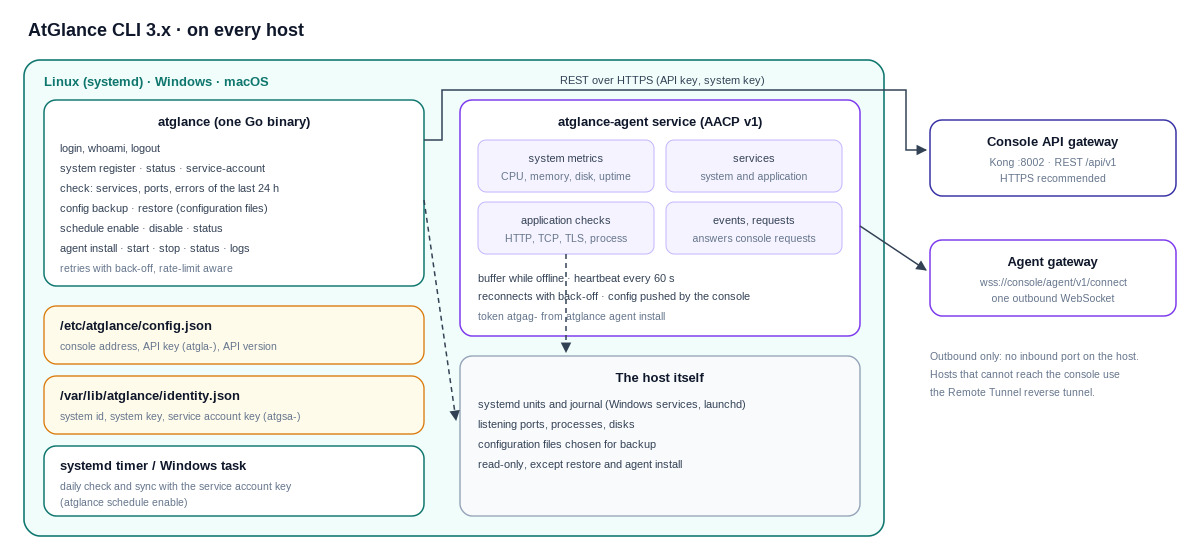
AtGlance CLI
Ubuntu/systemd host. Reads runtime, writes backups, talks to the REST API.
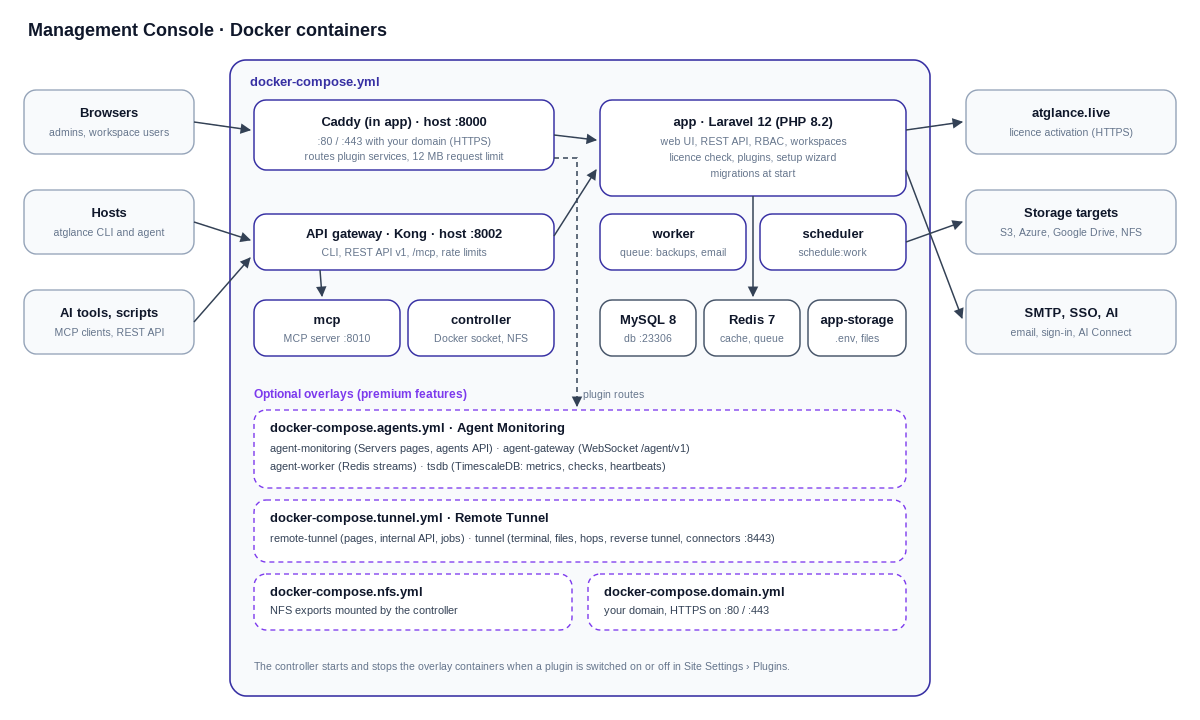
AtGlance Management System
Application, REST API gateway, database, cache (queue + cache + buffer), file storage, SSO providers.
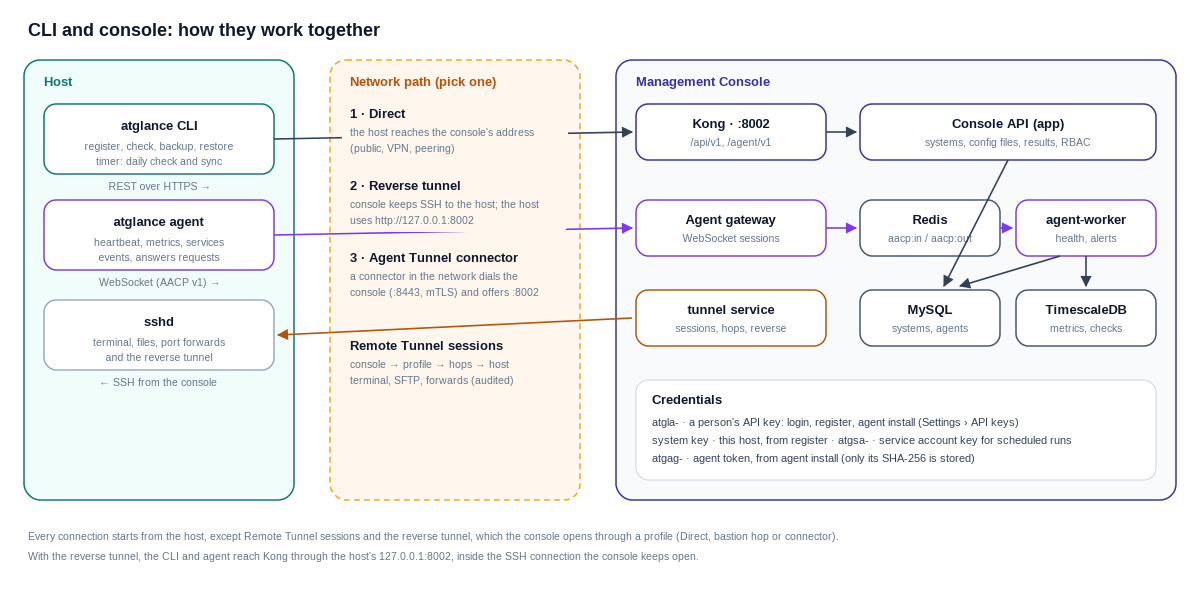
Full picture
The CLI commands, the gateway, the application layer, the data plane, and future capabilities.
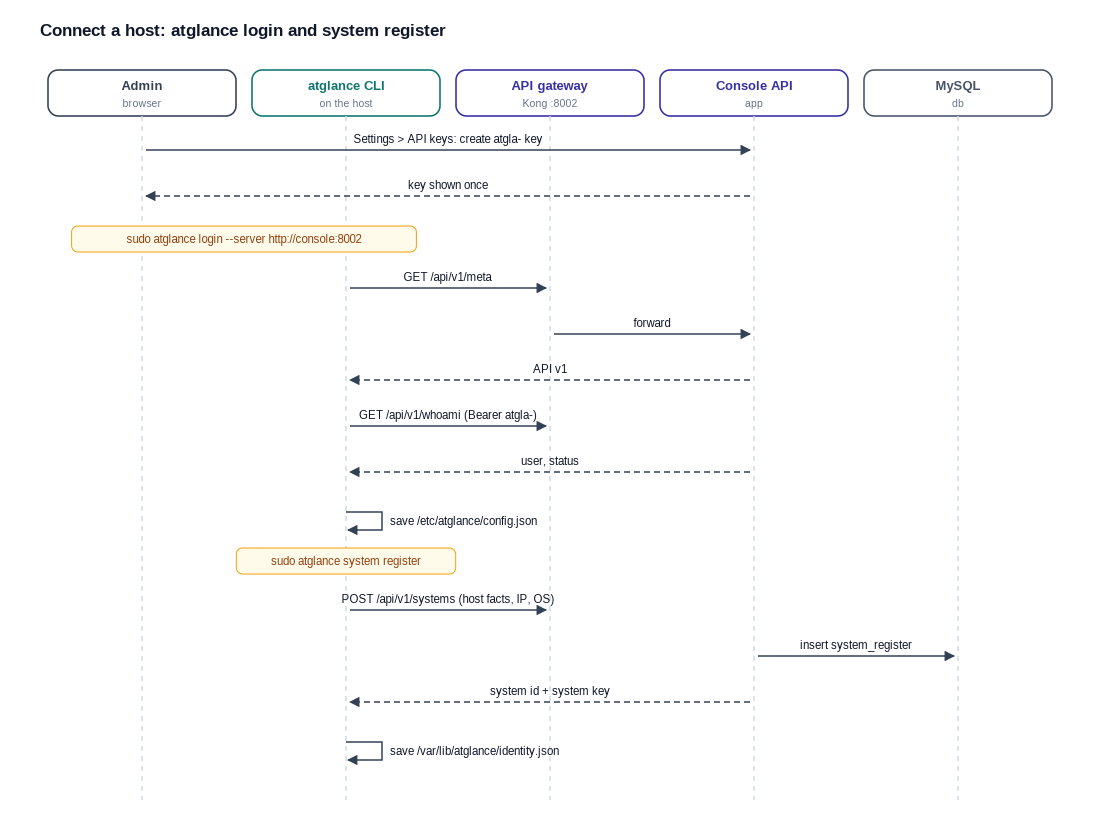
Step by step
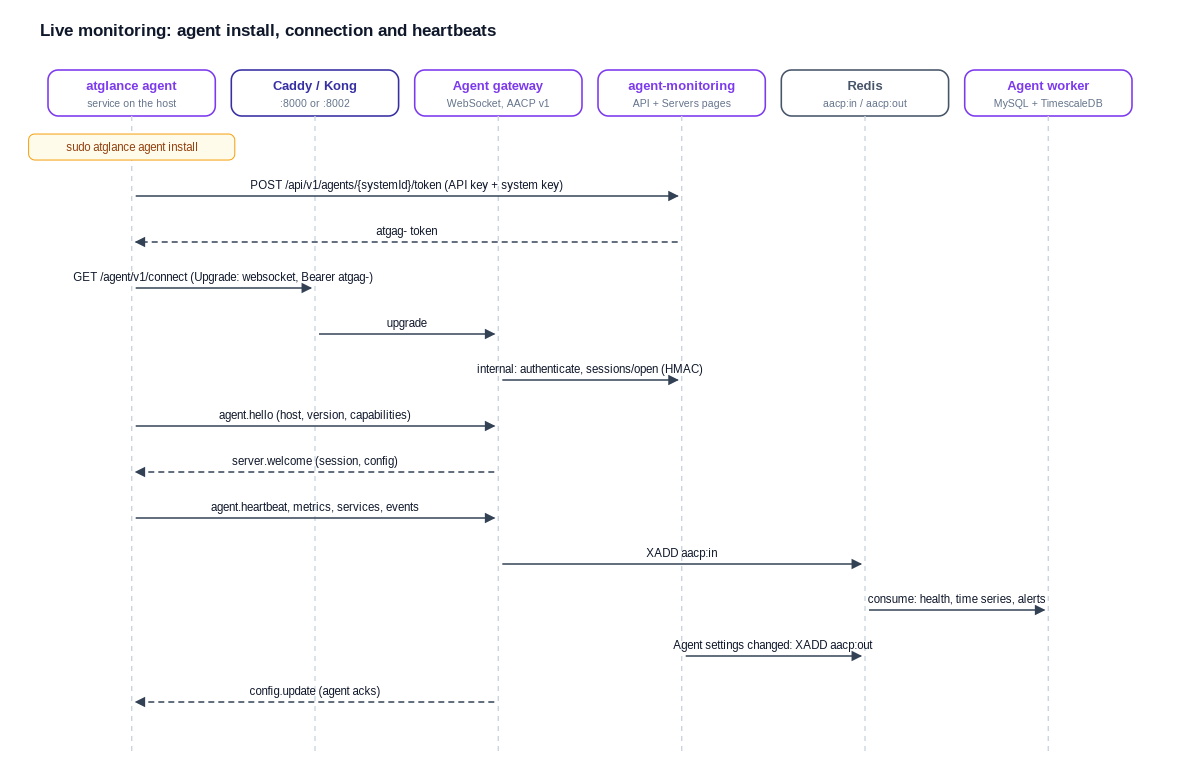
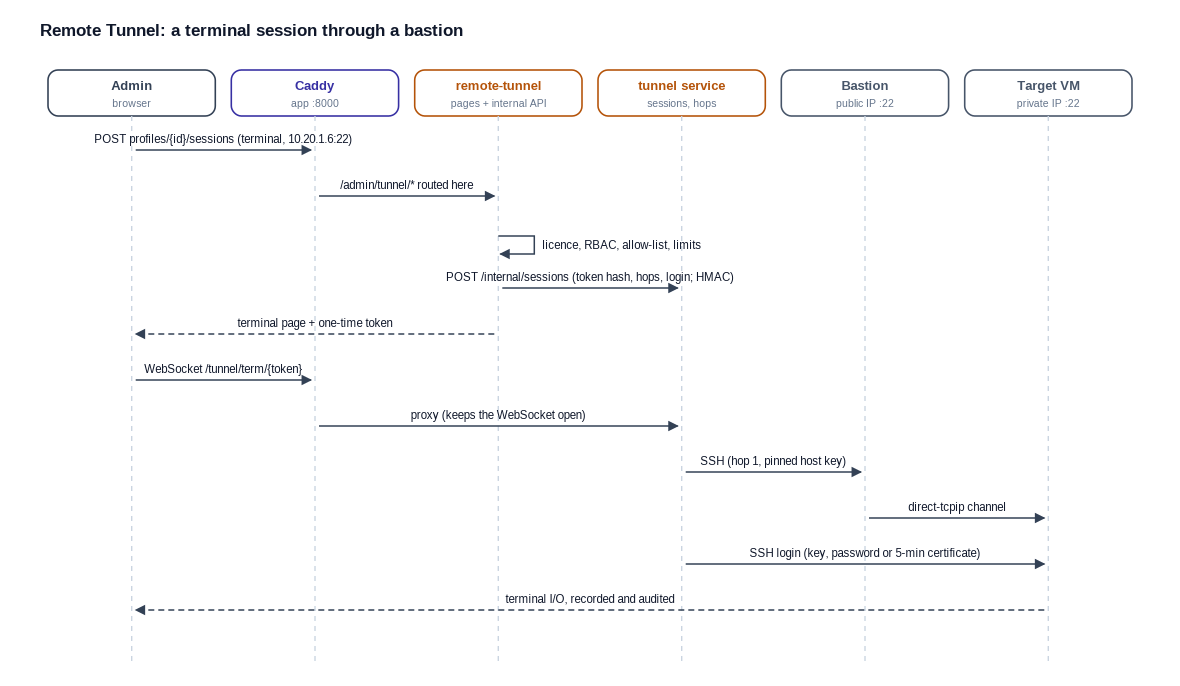
Connecting a host, live monitoring and a Remote Tunnel session. The full write-up is in the docs.
Operators
SREs, admins, developers — all interact through the CLI or the Console UI.
AtGlance CLI
main() routes through configure/validate/register/runtime/export.
REST API gateway
DB-less, declarative config. HTTPS on :8002. Rate-limited.
Application
Web UI, REST APIs, RBAC middleware, DatabaseCircuitBreaker, job dispatch.
Cache
Queue (jobs), cache (reads), buffer (writes during a database outage).
Database
Users, orgs, workspaces, systems, services, configuration, files, raw data, tokens, activity logs.