
Server health and config backups, from one command.
A small agent for systemd hosts. See every service, its ports and log signals on one screen, back up its configuration, and sync it with your Management Console.
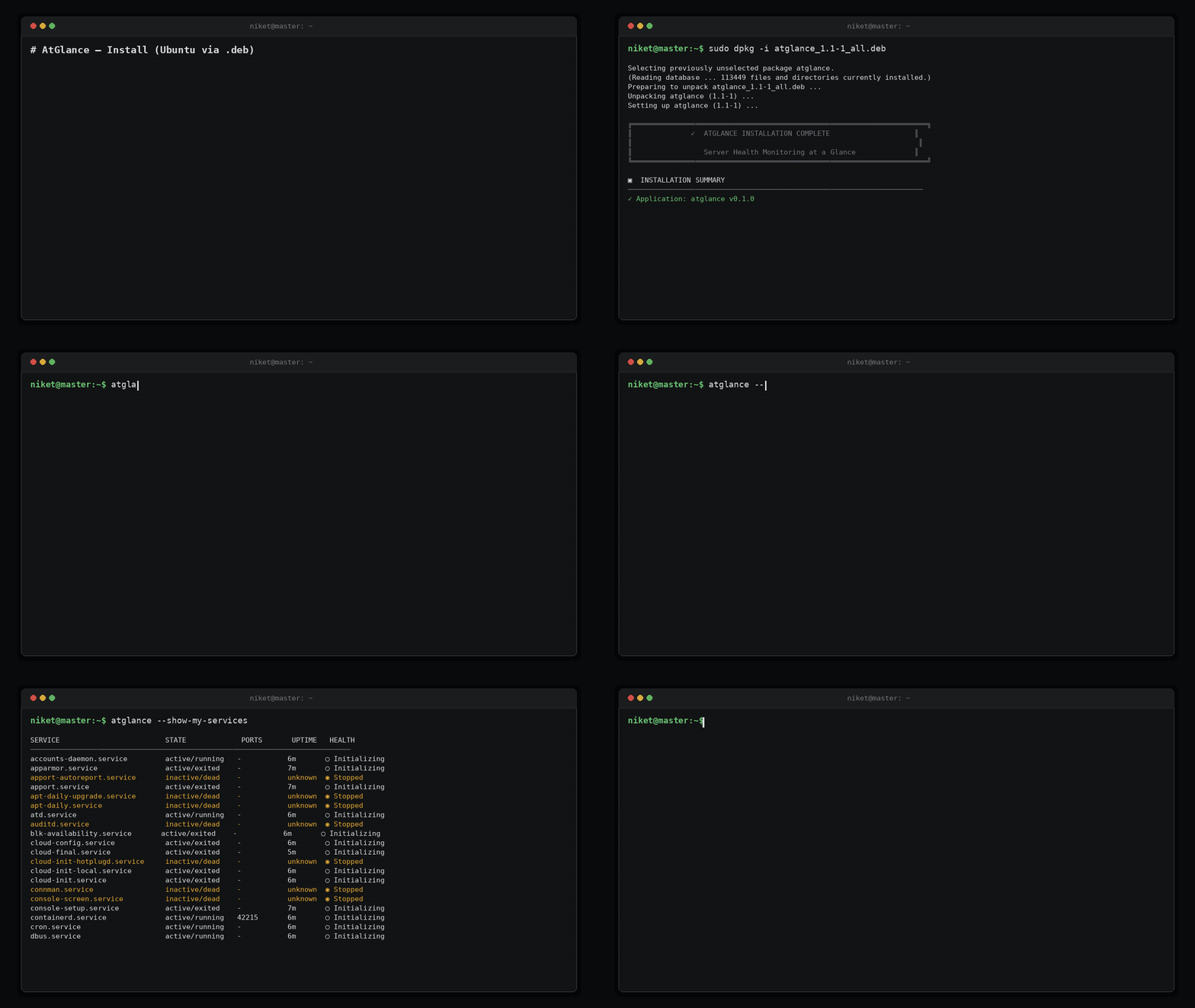
Everything about a server, in one terminal
Built for SREs who live in SSH sessions.
Every service on one screen
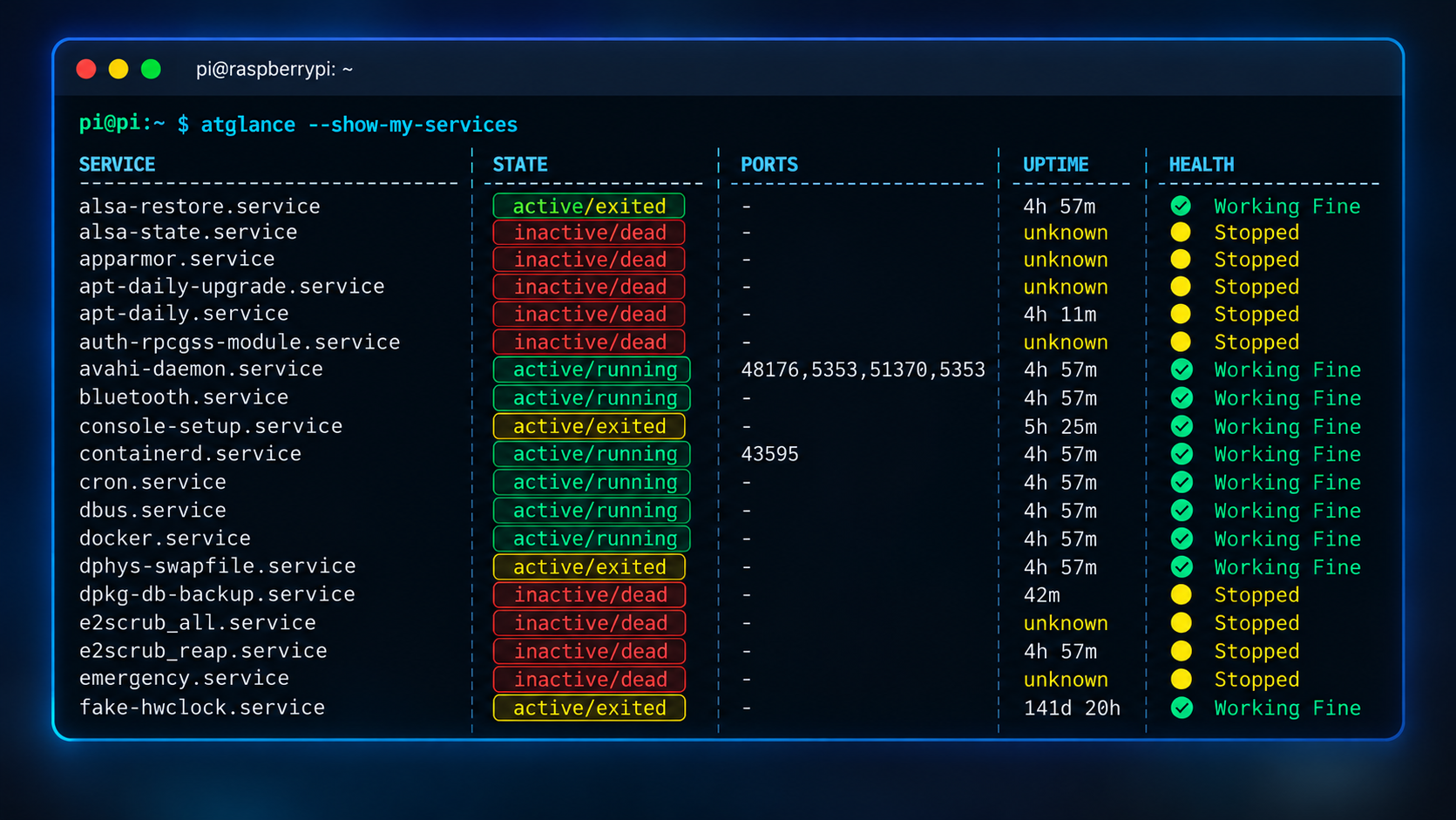
Run atglance and see every systemd service with its health, ports and recent log signals, classified the same way every time.
- Service discovery from systemd
- Deterministic health classification
- Port mapping and error/warning log signals
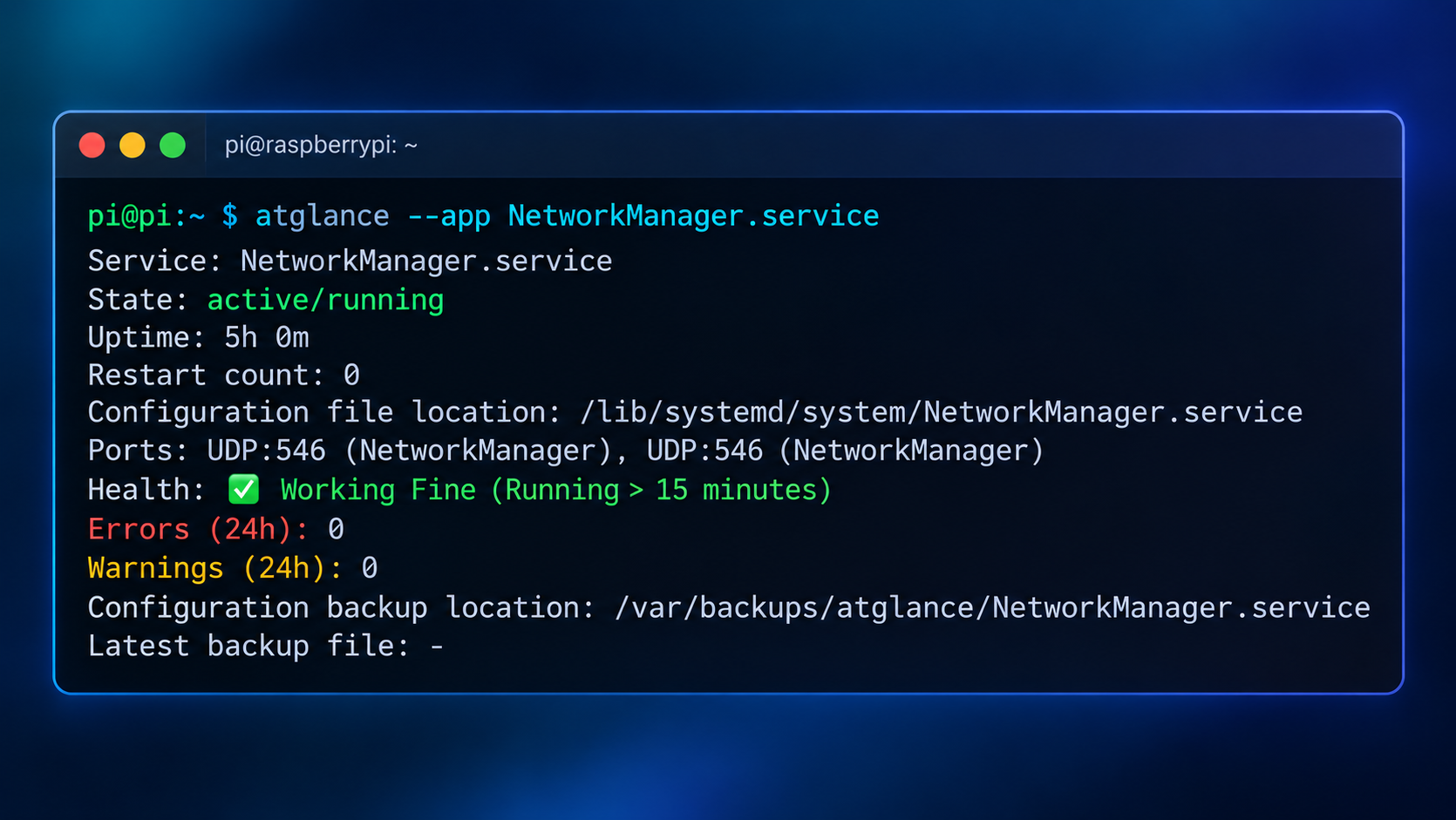
Inspect one service in depth
atglance --app nginx.service shows the unit, its status, ports, recent errors and its configuration files.
- Status, ports and recent log lines
- Configuration files of the service
- Works on any systemd unit
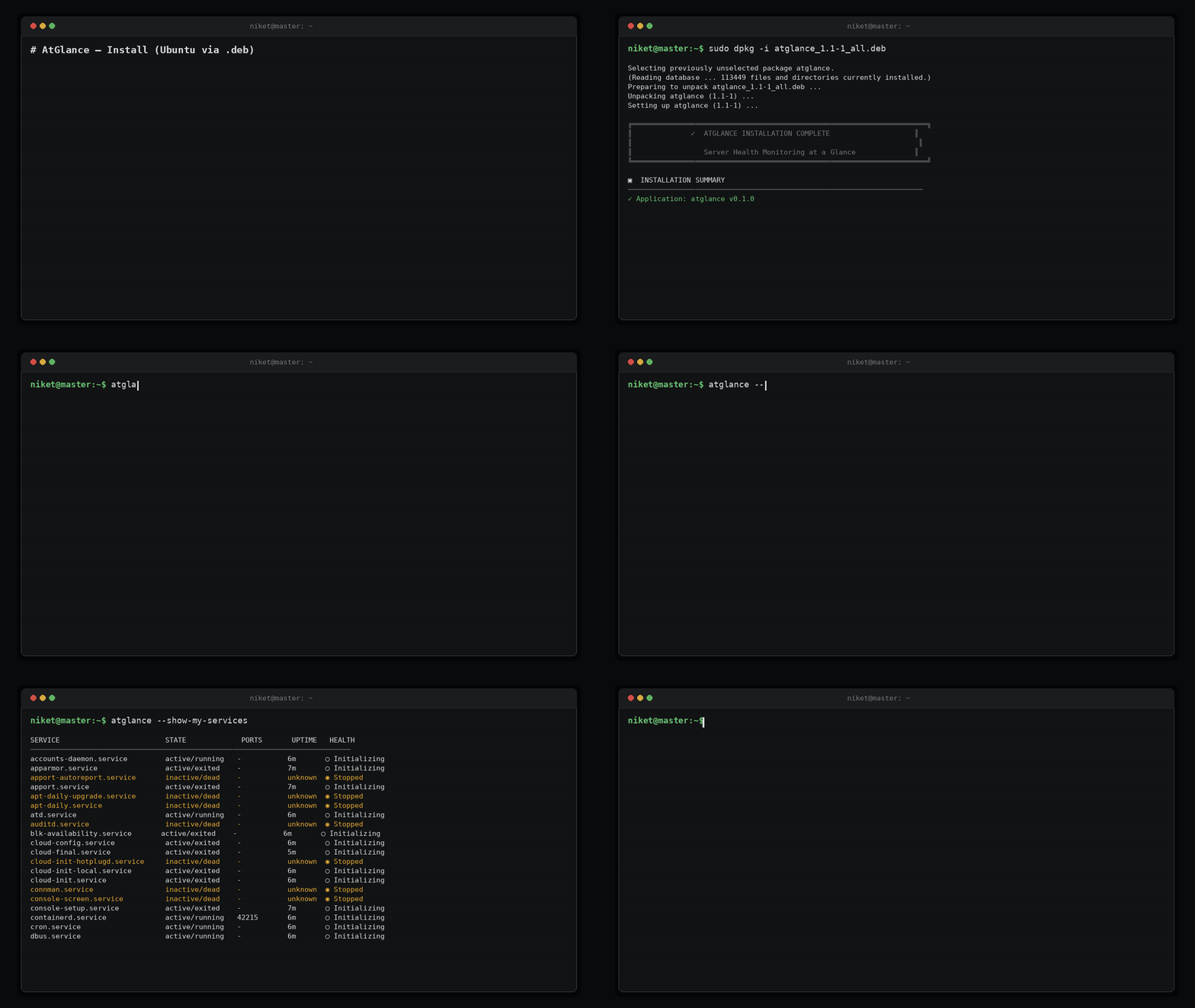
Register a server in seconds
Point the CLI at your console with a personal access token. The host gets a permanent validation hash and shows up in the console.
- --configure and --validate the token
- --system-register, deregister and reactivate
- Permanent hash in /etc/environment
Small, predictable, scriptable
Debian package
Install and update with a .deb; checksums are published for every release.
Local versioned backups
Config backups are also kept locally, numbered so nothing is overwritten.
JSON export
atglance export --format json for scripts and dashboards.
Token auth
Personal access tokens, validated against your console before any upload.
$ atglance --versionatglance v1.0.0 (build d8e9c41)$ atglance --validate✓ config.json valid✓ /etc/environment readable✓ journalctl + ss available✓ Console reachable (REST API :8002)
Built around main() routing
The CLI's main() dispatches in a strict order — config, validation, registration, runtime — so behaviour is predictable across distros.
Every command, one table.
| Flag | Purpose |
|---|---|
| --version | Print CLI version |
| --configure / configure | Initial configuration |
| --validate | Validate local configuration |
| --system-register [--restore -f/--file] | Register the host (optionally restore from backup) |
| --system-deregister | Soft decommission |
| --system-deregister-force | Hard remove system_id |
| --system-regenerate-hash | Rotate the validation hash |
| --system-reactivate | Bring host back online |
| --system-reactivate-force | Reactivate even with stale hash |
| --show-my-services | List discovered systemd services |
| --app <service> | Inspect a single service |
| --config-show / --config-import | View / import configurations |
| watch [--interval] | Continuous health watch |
| export --format json | Export inventory |
Inside the CLI
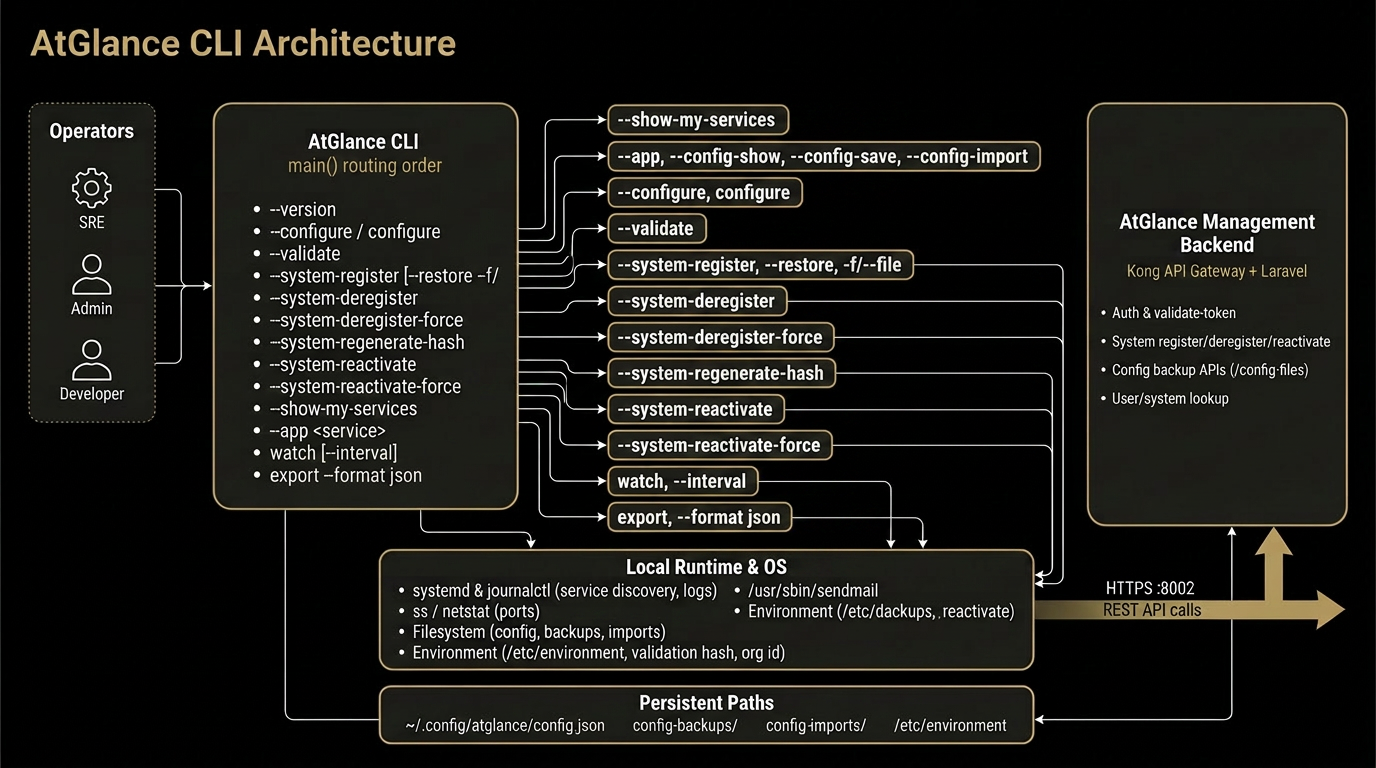
register → deregister → reactivate
-
STEP 01registerHash + token issued. system_id persisted to /etc/environment.
-
STEP 02watchService inventory and ports streamed to Console.
-
STEP 03deregisterSoft-remove (audit trail kept) or -force (hard delete).
-
STEP 04reactivateBrings host back without losing system_id or backups.
Where state lives
~/.config/atglance/config.json   # CLI config (PAT, console URL, org_id)
config-backups/                  # versioned config snapshots
config-imports/                  # staged imports awaiting --validate
/etc/environment                 # validation hash, system_id, org_id