
Pinning Container Images by Digest: Stop Mutable Tags Surprising You
Container tags are mutable pointers, so the same tag can run different code on different hosts. Learn how image digests work, how to find tag drift in Docker and Kubernetes, and how to pin by digest without falling behind on security updates.
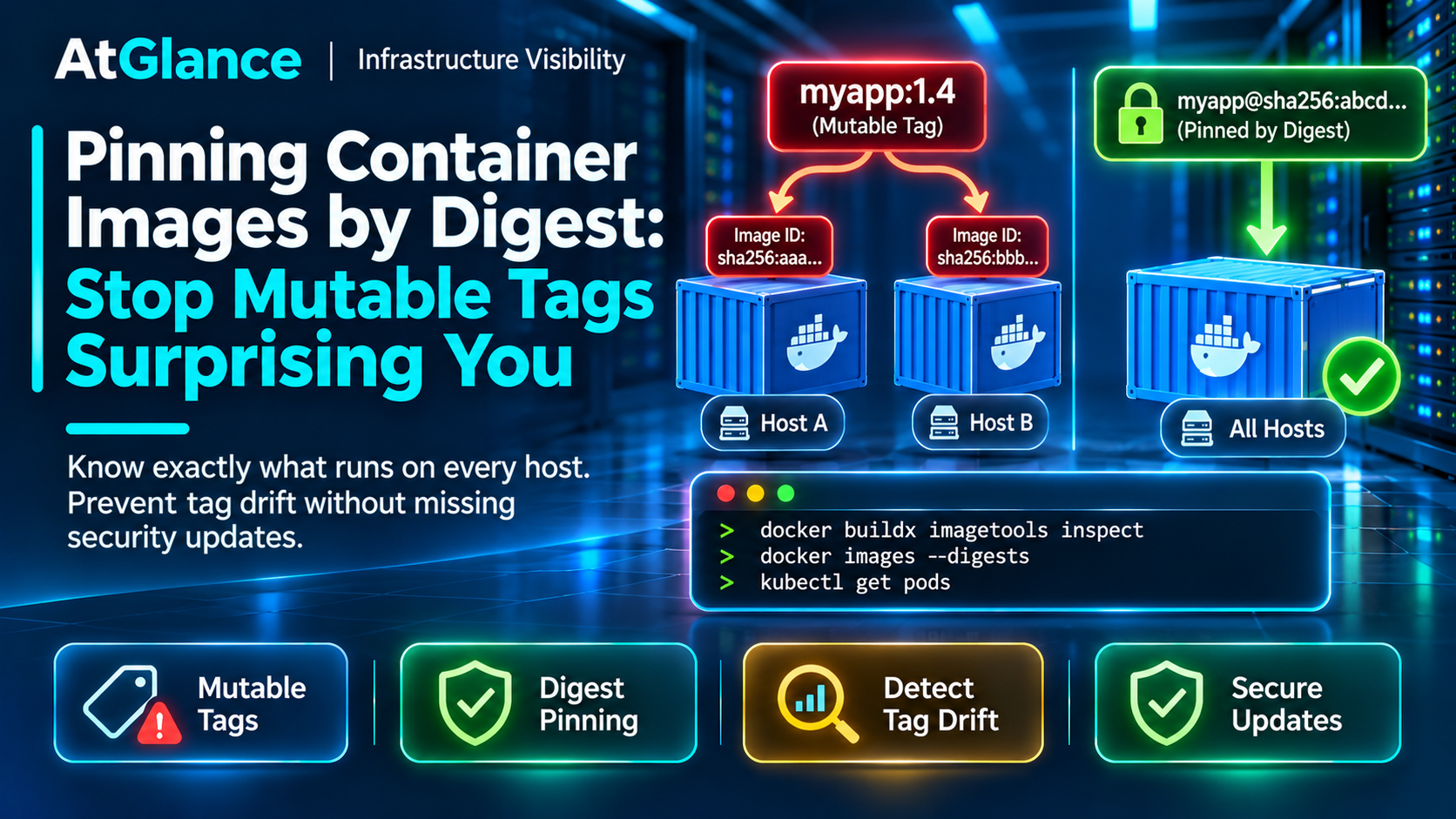
Pinning Container Images by Digest: Stop Mutable Tags Surprising You
Two pods run the same deployment with the same image tag, yet one behaves differently. A rebuild of an unchanged Dockerfile suddenly fails. A rollback to last week's tag does not bring back last week's behavior. In each case, the cause is the same: container image tags are mutable.
A tag such as myapp:1.4 or python:slim is just a name that points to an image. Anyone with push access can move it to a different image at any time, and public base image tags are moved on purpose whenever their maintainers publish updates. What actually runs on a host depends on when that host last pulled the tag.
Image digests solve this. This guide explains how digests work, how to find out whether tag drift is already affecting your hosts and clusters, and how to pin images by digest without freezing your systems on old, unpatched software.
Tags vs. Digests
A container image is described by a manifest, a small JSON document that lists the image's configuration and layers. The digest is a cryptographic hash of that manifest, written as sha256: followed by a long hexadecimal string.
The difference matters:
- A tag is a mutable pointer.
myapp:1.4can point to one image today and another tomorrow. - A digest is a content address.
myapp@sha256:<digest>always refers to exactly the same manifest. If the content changed, the digest would change.
You can reference an image by digest alone, or by tag and digest together, for example myapp:1.4@sha256:<digest>. When both are present, the digest decides what is pulled; the tag is kept only for readability.
Multi-Architecture Images
Many images support several CPU architectures. In that case, the tag points to an image index (also called a manifest list) that contains one manifest per platform. The index has its own digest, and each platform manifest has a separate digest.
For most uses, pin the index digest. Each host still pulls the right manifest for its own architecture, and the reference stays stable. Pinning a platform-specific digest locks every host to one architecture, which breaks mixed clusters.
Step 1: Find the Digest of an Image
To see the digest a tag currently points to in the registry, without pulling the image:
docker buildx imagetools inspect python:slim
The Digest field at the top of the output is the index digest. The output also lists the per-platform manifests below it. This command only reads from the registry.
For images you have already pulled, list local digests:
docker images --digests

docker inspect --format '{{range .RepoDigests}}{{println .}}{{end}}' python:slim
RepoDigests records the registry digest the local image was pulled by. Images you built locally and never pushed have no repository digest.
Step 2: Check Whether Tag Drift Already Affects You
Before changing anything, find out whether hosts or pods running the same tag are actually running different images.
On Docker Hosts
For each running container, compare the tag it was started from with the image ID it actually runs:
docker ps --format '{{.Names}}' | while read -r c; do
  docker inspect --format '{{.Name}}{{"\t"}}{{.Config.Image}}{{"\t"}}{{.Image}}' "$c"
done
Run this on several hosts and compare. If the same Config.Image tag maps to different image IDs on different hosts, they are running different images under the same name. This is read-only.
In Kubernetes
Kubernetes records the resolved digest of each running container in its status. This query prints the requested image and the actual image ID for every container in the cluster:
kubectl get pods -A -o jsonpath='{range .items[*]}{range .status.containerStatuses[*]}{.image}{"\t"}{.imageID}{"\n"}{end}{end}' \
  | sort | uniq -c | sort -rn
If one image tag appears with more than one imageID, pods using that tag are running different content.
This often happens because of image pull policy. When a tag is not latest and no policy is set, Kubernetes defaults to IfNotPresent, so a node that already has the tag cached keeps using its old copy, while a new node pulls whatever the tag points to now. The result is a deployment silently split between versions.
Step 3: Pin Images by Digest
Once you know the digest you want, use it everywhere the image is referenced.
In Dockerfiles
Pin base images, so builds are reproducible and a moved upstream tag cannot change your image without a visible change in your repository:
FROM python:slim@sha256:<digest>
Keeping the tag in the reference tells reviewers what the digest is meant to be. Replace <digest> with the value from imagetools inspect.
In Kubernetes Manifests
containers:
  - name: api
    image: registry.example.internal/api:1.4.2@sha256:<digest>
With a digest, every node pulls exactly the same content, and the pull policy no longer causes drift, because a cached digest is by definition the right image.
In Docker Compose
services:
  api:
    image: registry.example.internal/api:1.4.2@sha256:<digest>
For Your Own Images
Your CI pipeline already knows the digest of every image it pushes. Capture it at build time and use it in deployment manifests, instead of deploying by tag. Many build tools can write the digest to a file or output variable. This also makes rollbacks reliable: rolling back means deploying a previous digest that is guaranteed to be the same image you ran before.
Step 4: Keep Pinned Images Up to Date
Pinning has a cost. A digest never changes, so a pinned base image never receives security fixes on its own. Without a process to update digests, pinning trades unpredictable changes for predictable decay.
The solution is to make updates explicit and automatic:
- Use dependency update tools. Tools such as Renovate and Dependabot can detect when the tag behind a pinned digest has moved and open a pull request that updates the digest. Your normal review and CI pipeline then test the change.
- Rebuild your own images regularly, even when application code has not changed, so they pick up updated base images.
- Scan pinned images for known vulnerabilities on a schedule, not just at build time. An image that was clean when it was pinned may not be clean today.
This gives you the best of both approaches: every change is visible in version control, reviewed and tested, and updates still arrive promptly.
Step 5: Watch Out for Registry Cleanup
There is one operational trap. Many registries support lifecycle or retention policies that delete untagged images to save space. When a tag moves to a new image, the old image may become untagged. If something is pinned to the old digest, a cleanup job can delete it, and the next pull fails.
To avoid surprises:
- Review registry retention policies before adopting digest pinning.
- Keep images that production depends on tagged, for example with an immutable release tag per build.
- Test that pulls by digest still work after cleanup jobs run.
Some registries also support immutable tags, which prevent a tag from being overwritten once pushed. Enabling this for release tags is a useful complement to digest pinning, because it makes the tag itself trustworthy within that registry.
Warning: changing retention or immutability settings on a shared registry affects every team that uses it. Coordinate changes and check the registry's documentation for exactly what each setting deletes or blocks.
Security Considerations
- Digests guarantee integrity, not trust. A digest ensures you get exactly the image you pinned. It does not tell you whether that image was safe to begin with. Combine pinning with image scanning and, where possible, signature verification.
- Signatures pair naturally with digests. Signing tools such as cosign sign images by digest, so verification confirms both who built the image and that it has not changed.
- Enforce pinning in policy. Admission controllers and policy engines can require images in production namespaces to be referenced by digest, or to come from approved registries.
- Mutable tags are a supply chain risk. If an attacker gains push access to a registry, moving a widely used tag is a quiet way to distribute a malicious image. Digest pinning means your deployments do not follow that change automatically.
- Do not let pinning become an excuse for stale images. An old, pinned image with known vulnerabilities is still vulnerable. Track how old each pinned digest is.
Making Image Versions Visible
The drift checks in Step 2 are worth running regularly, not just once. Knowing which exact image digest runs on which host or cluster, and noticing when the same tag resolves to different content in different places, is a configuration visibility problem. It is the kind of fleet-wide view AtGlance focuses on, and the same imageID and RepoDigests data is available to any inventory or monitoring tool you use.
Conclusion
Image tags are convenient names, not guarantees. The same tag can run different code on different hosts, change underneath a rebuild or make a rollback quietly ineffective. Check for drift by comparing tags with the image IDs and digests actually running, then pin base images and deployments by digest. Pair pinning with automated digest updates, regular rebuilds, vulnerability scanning and careful registry retention settings. The result is a container estate where you know exactly what is running, and every change to it is deliberate.