
Infrastructure Configuration Management: Finding Coverage Gaps
Configuration management only protects the hosts and settings it actually manages. This article shows how to find unmanaged servers and undeclared settings, and how configuration visibility helps you close those coverage gaps safely.
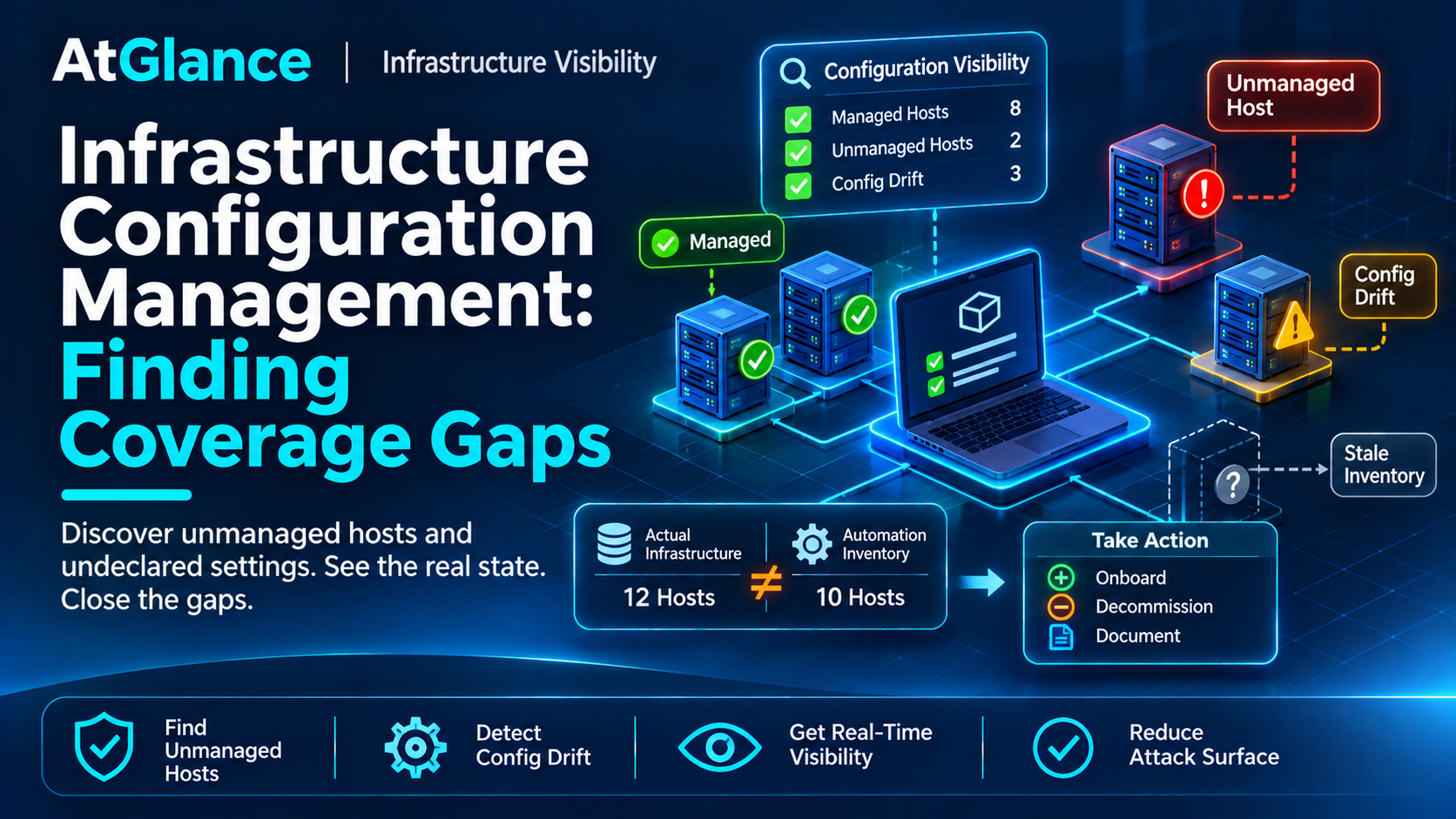
Infrastructure Configuration Management: Finding Coverage Gaps
The outage started on a server nobody recognized. It was not in the automation inventory, it had never received the hardening playbook, and the only person who knew why it existed had changed teams a year earlier. Everyone had assumed infrastructure configuration management covered the whole fleet. It covered most of it.
Coverage gaps are one of the least visible risks in infrastructure configuration management. Automation protects exactly the hosts and settings it manages, and says nothing about the rest. This article explains how to find those gaps, both unmanaged hosts and undeclared settings, and how AtGlance configuration visibility fits into closing them.
The problem: automation cannot report on what it does not manage
Configuration management tools work from an inventory and a set of declarations. Anything outside those two lists is invisible to them. That creates two kinds of gaps.
Host coverage gaps are servers that exist but are not managed:
- Hosts built by hand before automation existed
- Hosts created during an incident or a migration and never added to inventory
- Hosts removed from inventory but still running
- Hosts in the inventory whose automation runs have been failing quietly for weeks
Setting coverage gaps are important settings on managed hosts that nobody declared:
- Configuration files changed from package defaults but not tracked in code
- Settings written by installers or other agents
- Defaults that changed after an OS or package upgrade
The usual workarounds do not close these gaps. A spreadsheet of servers drifts out of date as soon as someone creates a host outside the normal process. A script that compares inventory with a cloud console or hypervisor runs once and is forgotten. The automation tool itself reports success, because every host it knows about converged.
The cost is concentrated risk. Unmanaged hosts miss security hardening and patch automation. Undeclared settings are lost when hosts are rebuilt. And during incidents, responders waste time on systems nobody can explain.
Why this feature exists
Configuration visibility is about observing the actual configuration state of infrastructure, independently of the tool that is supposed to manage it. That independence is what makes it useful for coverage.
The design rationale is simple: you cannot use an automation tool to find what the automation tool does not know about. A view of actual state lets you ask questions the inventory cannot answer:
- Which systems exist that are not under management?
- Which managed systems have settings that no code declares?
- Which systems claim to be managed but no longer match what the code would produce?
There are trade-offs:
- Coverage of the view itself matters. A visibility layer can only show systems it can observe. The same coverage question applies to it, so check what it reaches.
- Finding a gap is not closing it. Bringing a host or setting under management is still careful, manual engineering work.
- Not everything should be managed. Some hosts should be decommissioned instead of onboarded. Some settings are host-specific and do not belong in shared code.
AtGlance is an infrastructure visibility and configuration management platform, and configuration visibility is the part of it concerned with seeing actual configuration state. For the environments, data sources and workflows it supports.
How it works: finding and closing coverage gaps
The steps below describe the approach. The commands show the manual equivalent with common Linux and automation tools, so each comparison is concrete.
Step 1: Build a list of what exists from an independent source
Do not use the automation inventory as the list of what exists. Use sources that see hosts regardless of how they were built: your virtualization platform, your cloud provider's API, IP address management or DHCP records, or your monitoring system. Combine them into a single sorted list of hostnames.
Step 2: Compare it with what automation manages
Illustrative example. With Ansible, export the managed hosts and compare them with the independent list:
ansible-inventory -i inventory/production --list \
  | jq -r '._meta.hostvars | keys[]' | sort > managed.txt

# known.txt: sorted hostnames from an independent source
comm -23 known.txt managed.txt > unmanaged.txt
comm -13 known.txt managed.txt > stale-inventory.txt
unmanaged.txt lists hosts that exist but are not in the inventory. stale-inventory.txt lists inventory entries that no independent source knows about, which usually means hosts that were deleted but never removed from automation. Both commands only read and write local files.
Step 3: Check that managed hosts are actually being managed
Being in the inventory is not the same as being managed. Check when each host last completed a successful run. Many tools record this. For example, Puppet agents write a run summary file that includes the time of the last run. For Ansible, your CI or scheduler logs are usually the best record.
Hosts that have not completed a successful run for a long time are coverage gaps, even though they appear in inventory.
Step 4: Find settings that no code declares
Package managers know which configuration files differ from what the package shipped. That is a good starting point for undeclared settings.
Illustrative example. On RHEL-family systems:
sudo rpm -Va --nomtime 2>/dev/null | awk '$2=="c" {print $3}' | sort > changed-configs.txt
On Debian and Ubuntu, sudo dpkg --verify produces output in a similar format, with c marking configuration files. Both commands only read files.
Then check whether your configuration repository mentions each changed file:
while read -r f; do
  grep -rqF "$f" infra-repo/ || echo "not in code: $f"
done < changed-configs.txt
not in code: /etc/security/limits.conf
not in code: /etc/chrony.conf
Each file listed was changed on the host but is not referenced in code. If the host is rebuilt, those changes are lost.
Step 5: Decide: onboard, decommission or document
For each gap, choose one of three outcomes:
- Onboard: add the host to inventory or the setting to code.
- Decommission: remove hosts that no longer serve a purpose, after confirming with owners.
- Document: record deliberate, host-specific exceptions, with an owner and a review date.
Step 6: Onboard safely with check mode
Applying a full playbook to a host that was configured by hand can overwrite settings it depends on. Preview first:
ansible-playbook -i inventory/production site.yml --limit legacy-app-03 --check --diff
Check mode reports what would change without changing it. Review every difference. Where the host's current value is correct, update the code. Where the code is correct, plan the change like any other production change.
Before vs after
The task: answer "is every production server covered by our configuration management?"
| Task step | Without configuration visibility | With configuration visibility |
|---|---|---|
| List what exists | Merge exports from several consoles by hand | Compare against a view of systems whose actual state is observed |
| Find unmanaged hosts | One-off scripts, repeated rarely | Repeatable comparison of observed systems with the automation inventory |
| Find undeclared settings | Only noticed when a rebuilt host behaves differently | Actual configuration reviewed against what code declares |
| Confirm managed hosts are converging | Trust that runs are succeeding | Check observed state against intent |
| Onboard a host | Run the playbook and hope nothing breaks | Review actual state and check-mode output first |
The goal is a coverage answer you can defend, rather than an assumption that holds until the next incident.
Practical tips for closing coverage gaps
- Never use the inventory to audit the inventory. Always compare against an independent source of what exists.
- Treat stale inventory as a finding too. Entries for deleted hosts hide real failures in run reports and confuse coverage numbers.
- Decommission before you onboard. Some unmanaged hosts are leftovers. Removing them is cheaper and safer than bringing them under management.
- Onboard settings before hosts. Capturing a snowflake host's real settings in code first makes the eventual playbook run far less risky.
- Repeat the check on a schedule. Coverage gaps reopen every time someone builds a host outside the normal process.
Frequently asked questions
How do I find servers not managed by Ansible or Puppet?
Build a list of hosts from an independent source, such as your hypervisor, cloud provider API, IP address management or monitoring system. Export the hosts in your automation inventory, sort both lists and compare them with a tool such as comm. Hosts in the first list but not the second are unmanaged.
What is a snowflake server?
A snowflake server is a host configured by hand over time, so its exact configuration is unique and undocumented. It usually cannot be rebuilt reliably, because nobody knows every change it received. Snowflakes are common coverage gaps in configuration management and carry risk during incidents, upgrades and security reviews.
How do I bring a manually configured server under configuration management safely?
First record its actual configuration and capture important settings in code. Then add it to inventory and run your automation in check mode with diff output to see what would change. Review every difference, update code where the host is correct, and apply remaining changes through a planned, reviewed change.
What configuration should be managed as code first?
Start with settings that affect security and reliability: SSH configuration, users and sudo rules, enabled services, firewall rules, package sources, time synchronization and important kernel parameters. These are high-impact if they drift, and they are usually straightforward to declare. Expand to application-specific configuration once the foundation is covered.
Conclusion
Infrastructure configuration management only protects what it manages. Hosts outside the inventory, hosts whose runs quietly fail and settings nobody declared are all invisible to the automation itself. Configuration visibility gives you an independent view of actual state, so you can compare what exists with what is managed, find undeclared settings and onboard or decommission systems deliberately.
Close the biggest gaps first, onboard carefully with check mode and repeat the comparison regularly. To see how AtGlance approaches configuration visibility, visit https://atglance.live.
#AtGlance #AtGlanceLive #DevOps #Linux #SysAdmin #InfrastructureAsCode #Automation #PlatformEngineering #ConfigurationManagement #ConfigDrift #ITOps